波浪小球
学习 Shader,我想先学习那种变化多端的 球,最常见的 噪波置换,当然在这之前,学一个更有规律的破浪翻滚。
先添加一个在线 shader 更改的网站:https://suni-demos.vercel.app/custom-icosahedron (加载需要下载一个 xhr 文件,需要稍等下)
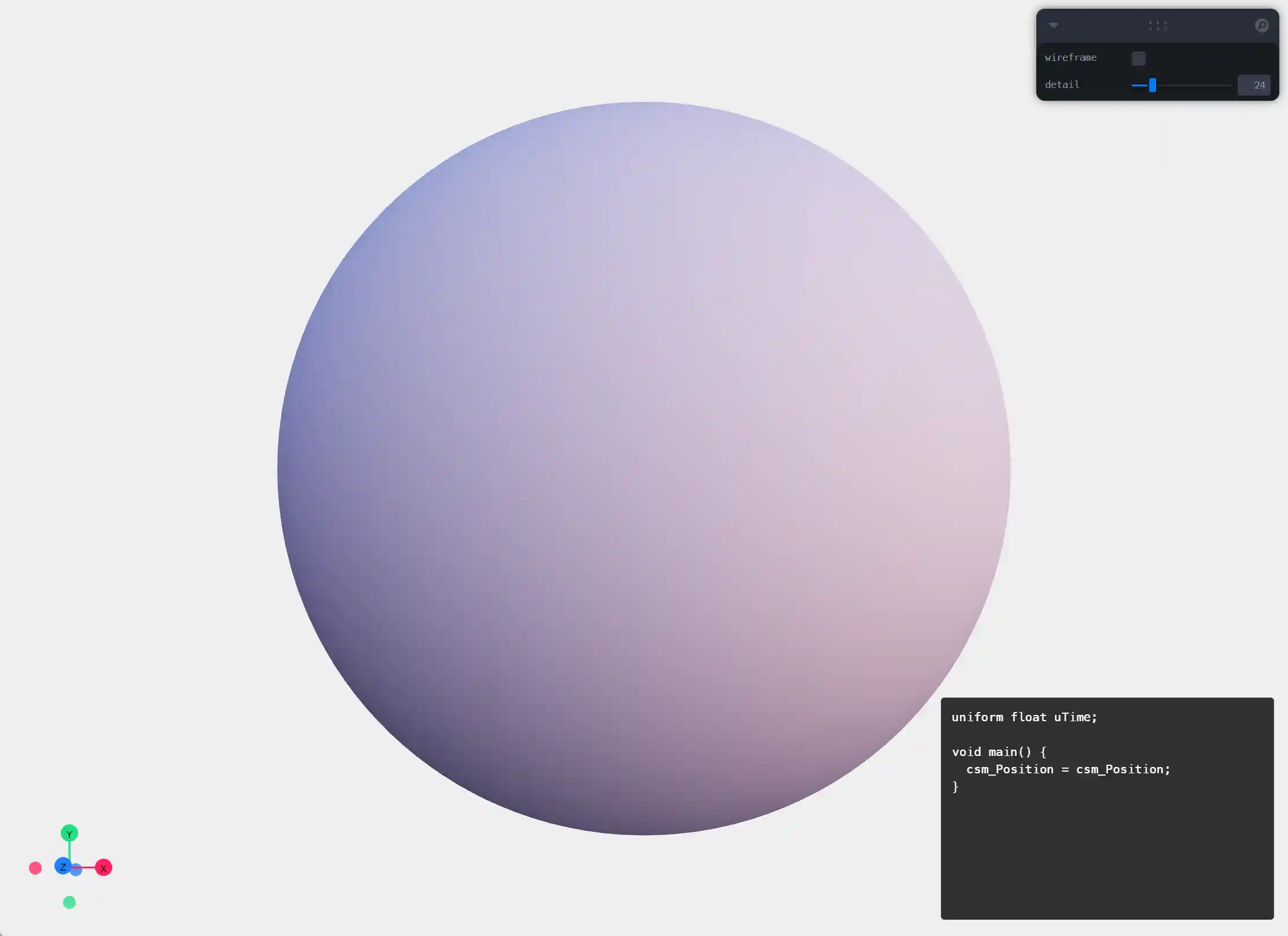
中间为 二十面体,而不是普通的球体,这样球形结构线条更均匀
网站使用了 CustomShaderMaterial ,可以自带阴影效果,也会带来一点特定的设置方式,比如 position 要改为使用 csm_Position,详细参考:https://github.com/FarazzShaikh/THREE-CustomShaderMaterial
网站右下角为 vertexShader 输入框。
函数网站
https://www.desmos.com/calculator
这里是一个很好函数演示网站。
设想
要让小球发生从上到下的凹凸,就需要基于 y 轴变换 vertex,连续发生循环的值变换,使用函数 mod。
mod(x, y) 取余函数,具有周期性、重复性的函数
- x 为 x轴变量
- y 为 y轴的范围,比如设置 1
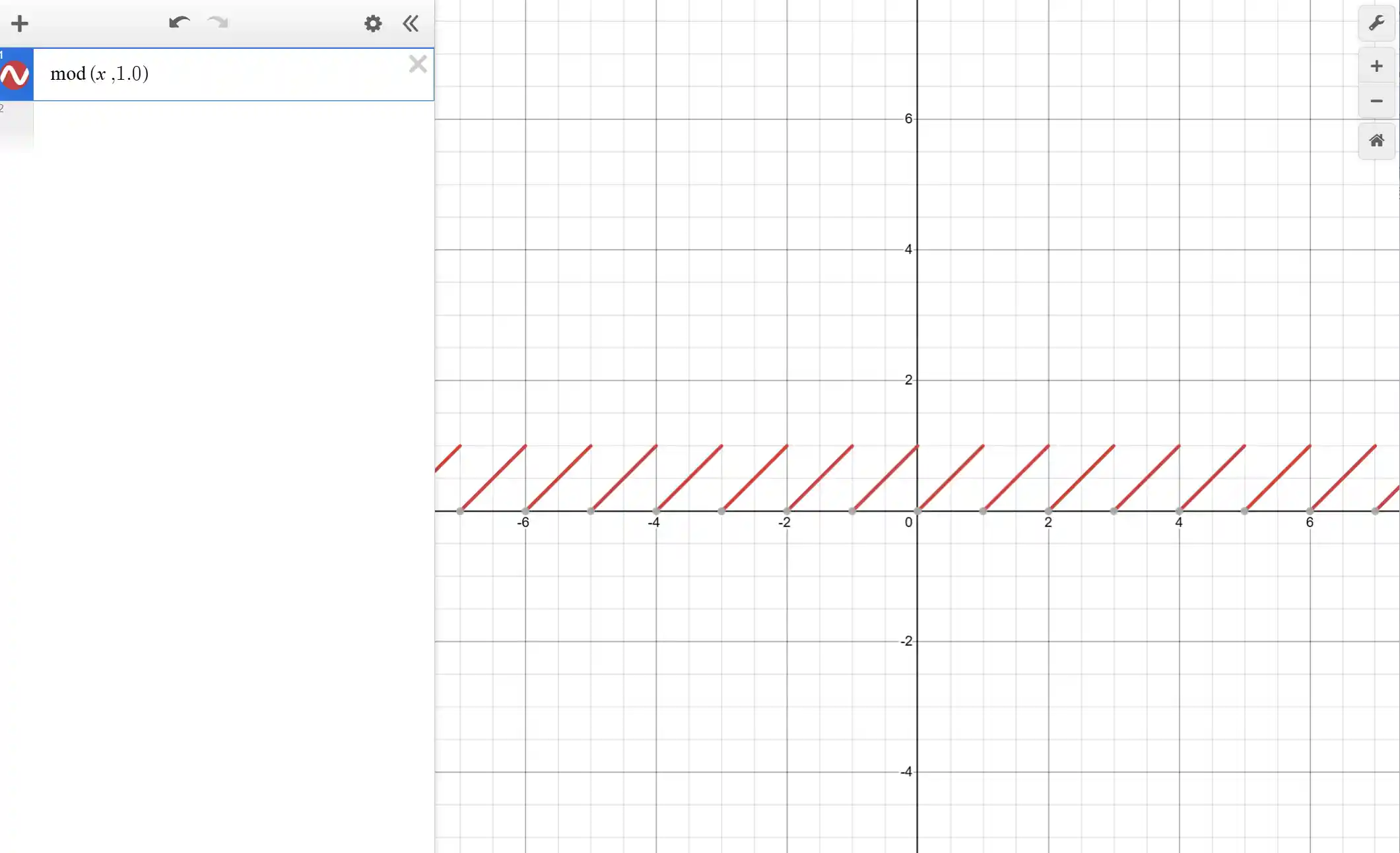
设置 mod 变化
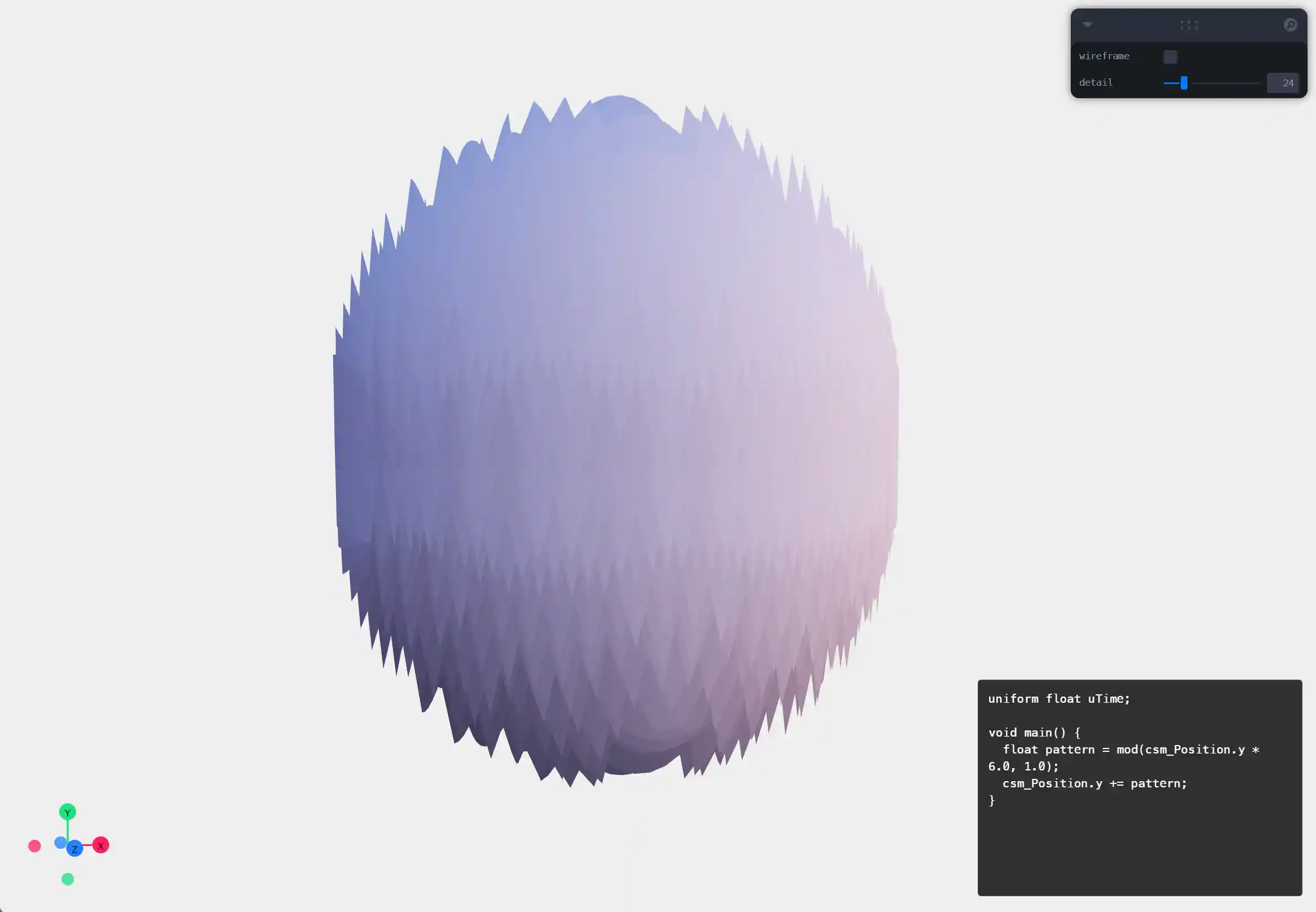
vertex shader 代码
uniform float uTime;

void main() {
  float pattern = mod(csm_Position.y * 6.0, 1.0);
  csm_Position.y += pattern;
}
这里带来的效果是让 y 值循环上下抖动,但是会变成锯齿状
- 6.0 意思是让上下变换 6 次
法向
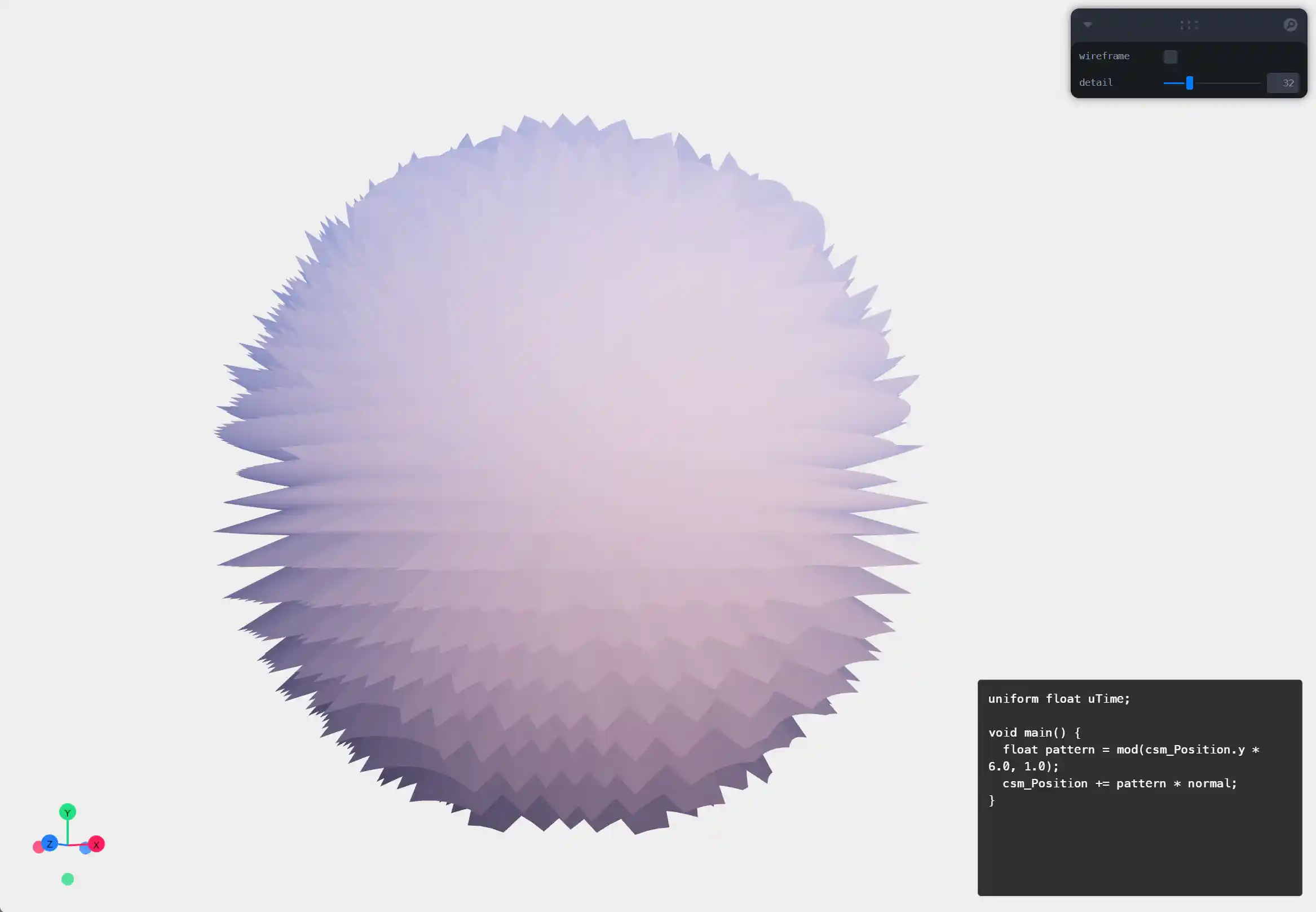
上下抖动不是我们想要的效果,需要改为内外凹凸,所以需要以法向为基本矢量,进行变化。
uniform float uTime;

void main() {
  float pattern = mod(csm_Position.y * 6.0, 1.0);
  csm_Position += pattern * normal;
}
sin
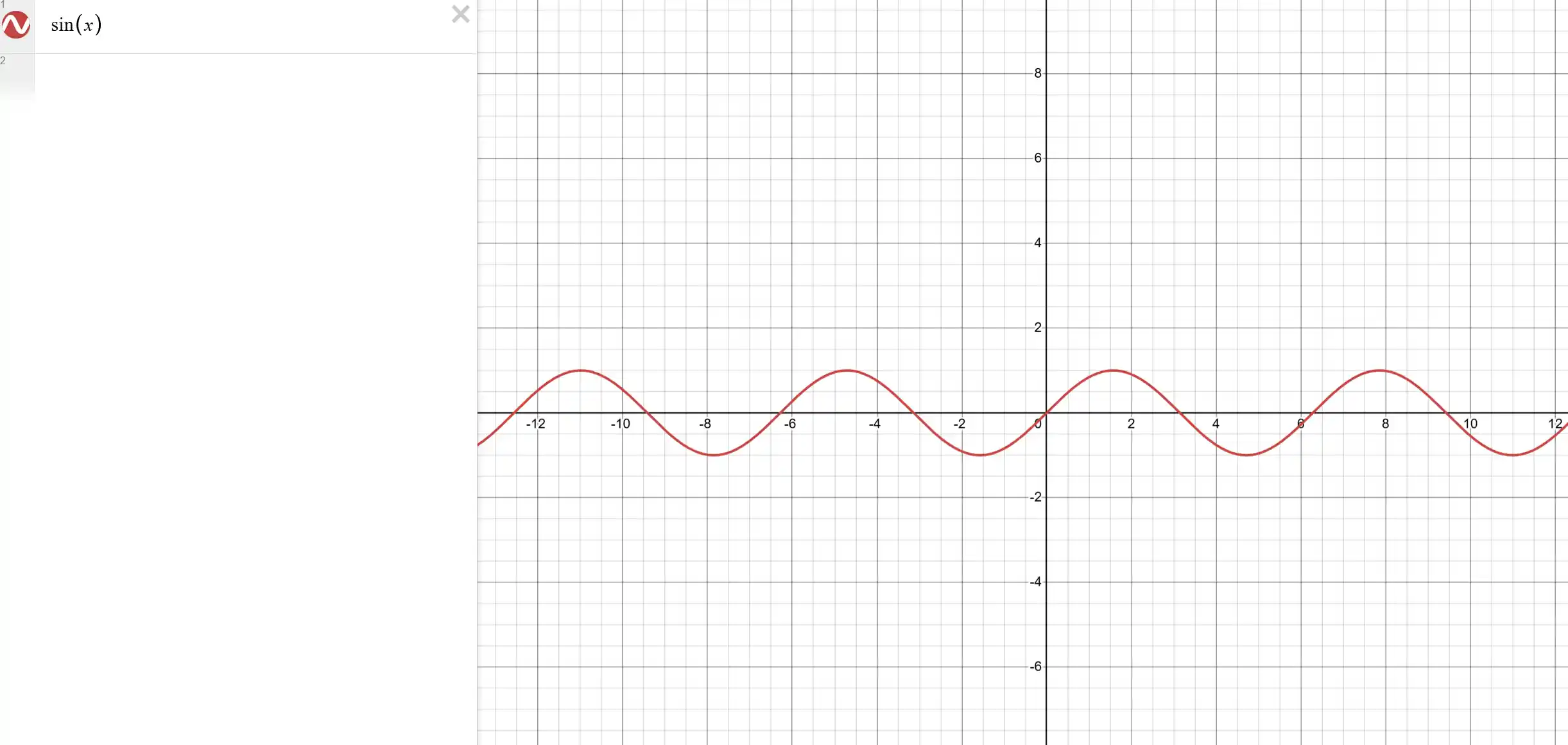
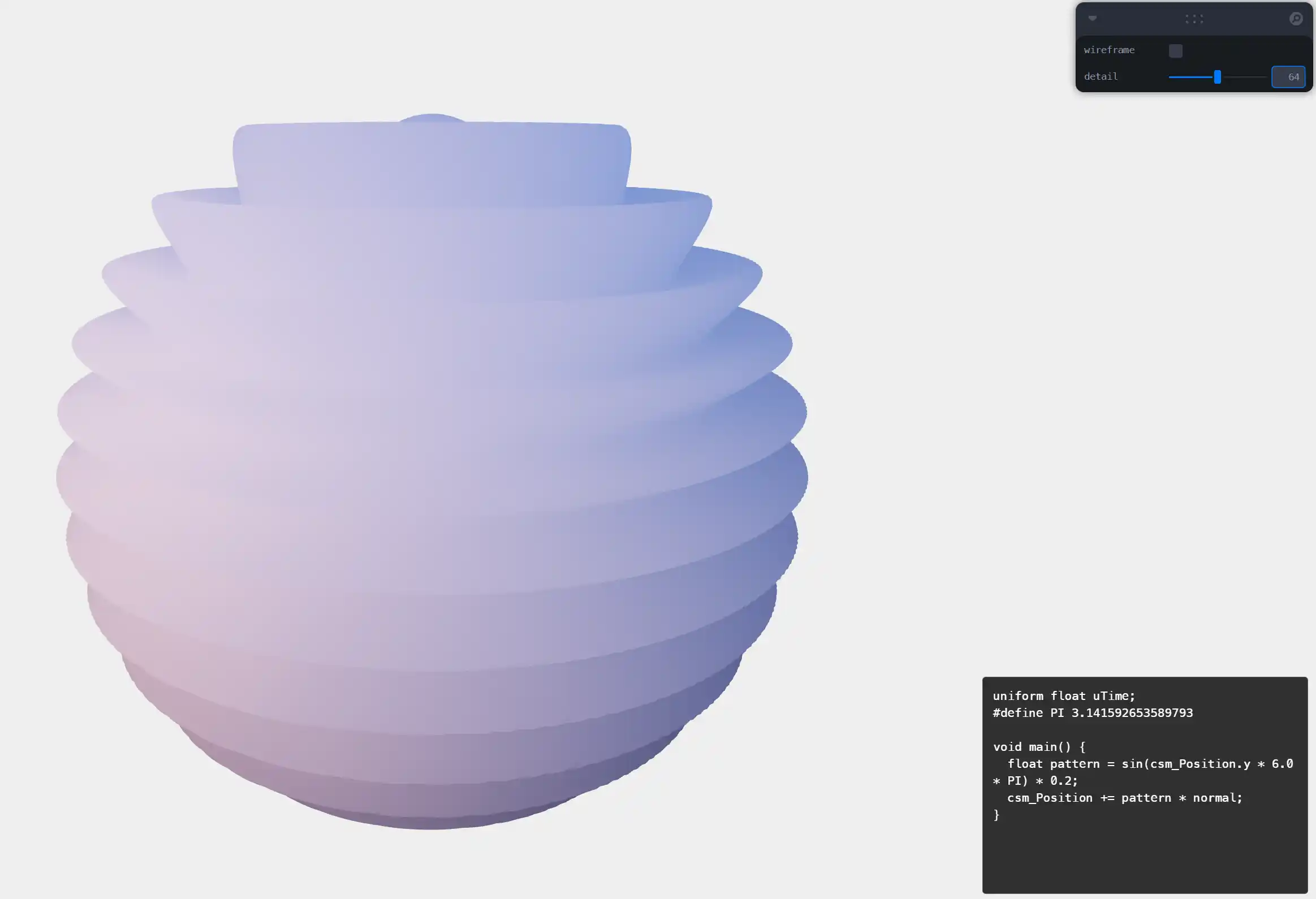
sin 具有更连续性的变换,就会更缓和。
uniform float uTime;
#define PI 3.141592653589793

void main() {
  float pattern = sin(csm_Position.y * 6.0 * PI) * 0.2;
  csm_Position += pattern * normal;
}
- PI 定义周期
- 0.2 减小变换大小
smoothMod
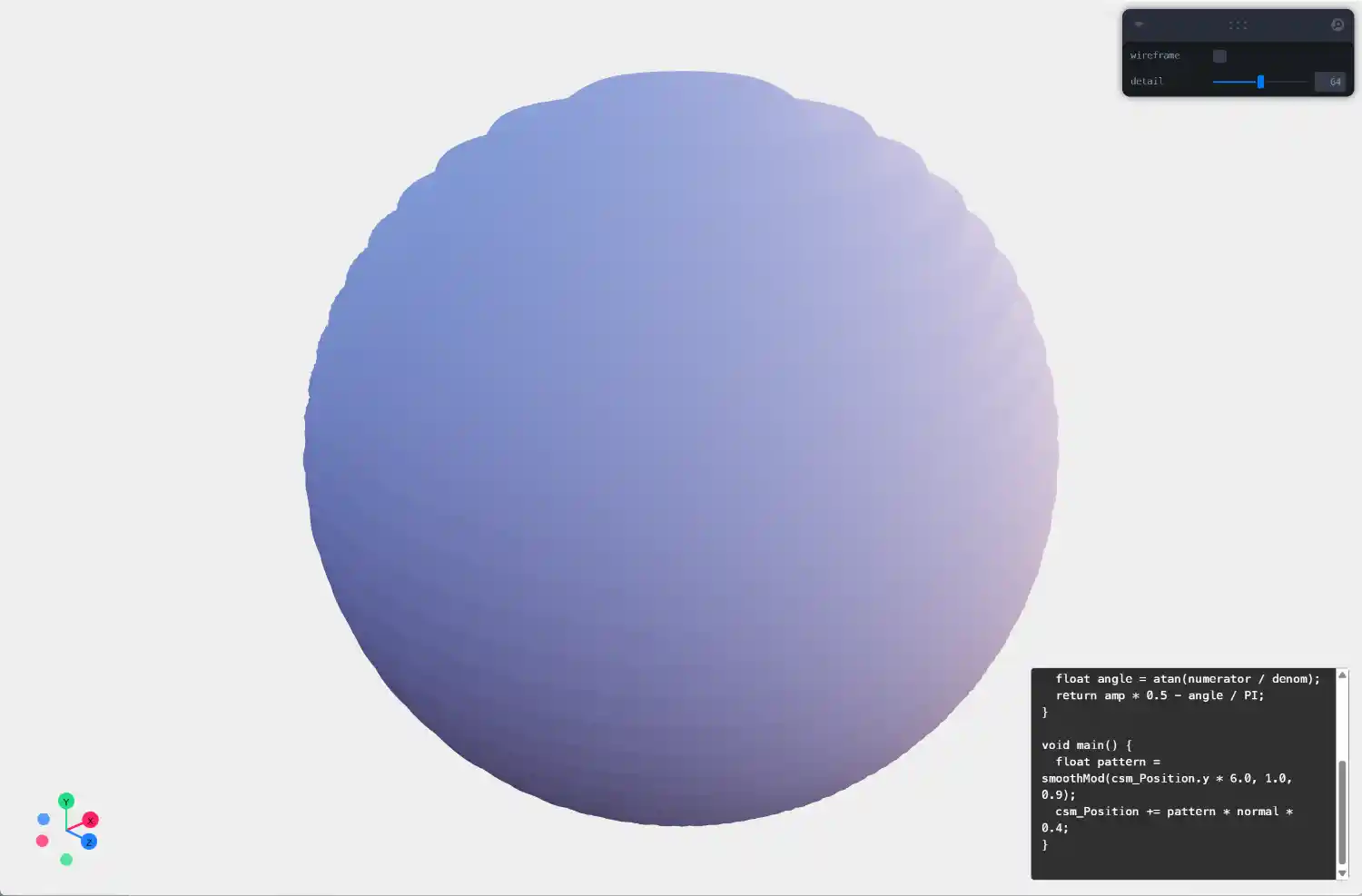
我看的教程中,是结合了 三角函数和mod,使之更有阶梯感,避免 sin 太圆
uniform float uTime;
#define PI 3.141592653589793

float smoothMod(float axis, float amp, float rad) {
  float x = axis / amp;
  float s = sin(PI * x);
  float numerator = cos(PI * x) * s;
  float denom = s * s + rad * rad;
  float angle = atan(numerator / denom);
  return amp * 0.5 - angle / PI;
}

void main() {
  float pattern = smoothMod(csm_Position.y * 6.0, 1.0, 1.0);
  csm_Position += pattern * normal * 0.4;
}
smoothMod 数学公式
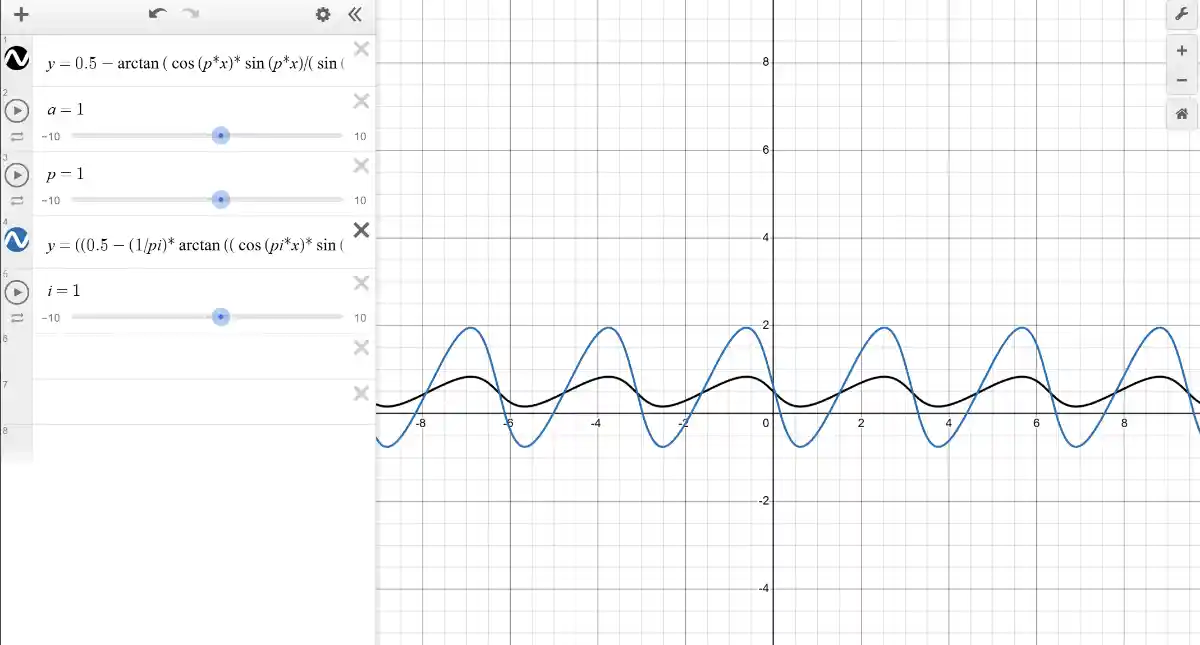
Desmos 的公式为:
y=0.5-\arctan(\cos(p*x)*\sin(p*x)/(\sin(p*x)^{2}+a^{2}))/p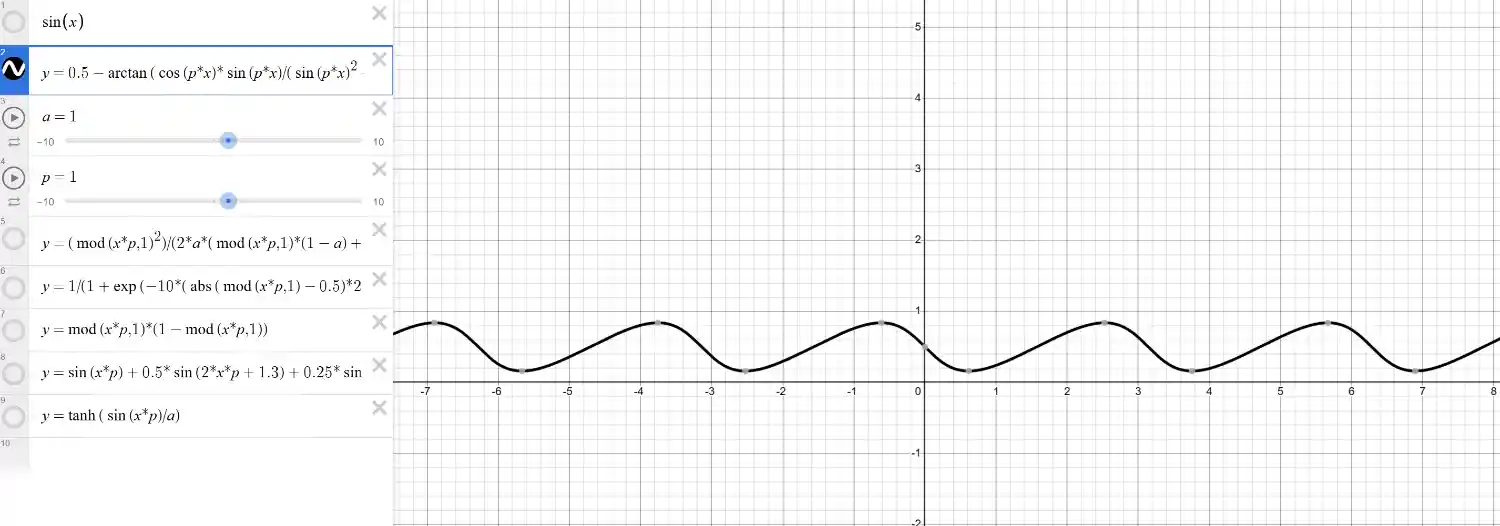
其它
同时记录两个不同的线条
// 连续抖动
float tri(float x, float p) {
    float t = abs(fract(x*p)-0.5)*2.0;
    return smoothstep(0.,1.,t);
}
// y=1/(1+\exp(-10*(\operatorname{abs}(\operatorname{mod}(x*p,1)-0.5)*2-0.5)))

// 比 sin 更钝
float softSquare(float x, float p, float a){
    return tanh(sin(x*p)/a);
}
// y=\tanh(\sin(x*p)/a)
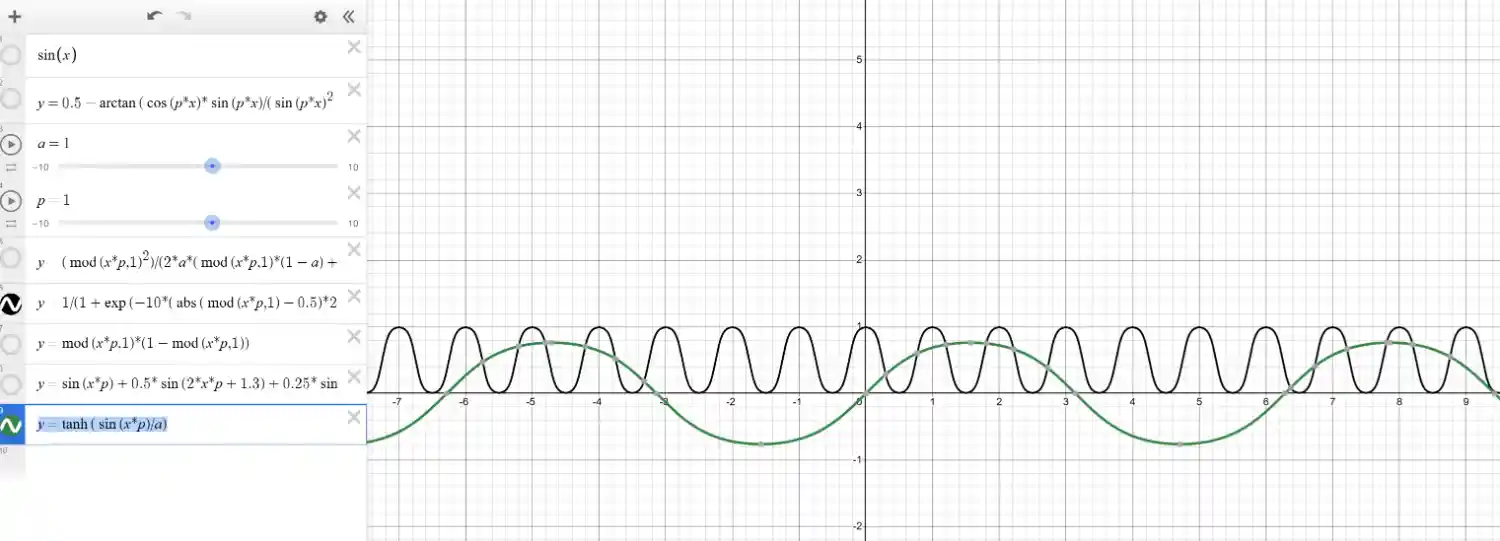
fit
线性重映射通过将数值先归一化,再进行线性插值实现:
float fit(float value, float inMin, float inMax, float outMin, float outMax) {
  float t = (value - inMin) / (inMax - inMin);
  return mix(outMin, outMax, t);
}
我们需要将变化放大,fit(modValue, 0.35, 0.5, 0.0, 1.0),让波浪效果更抖动
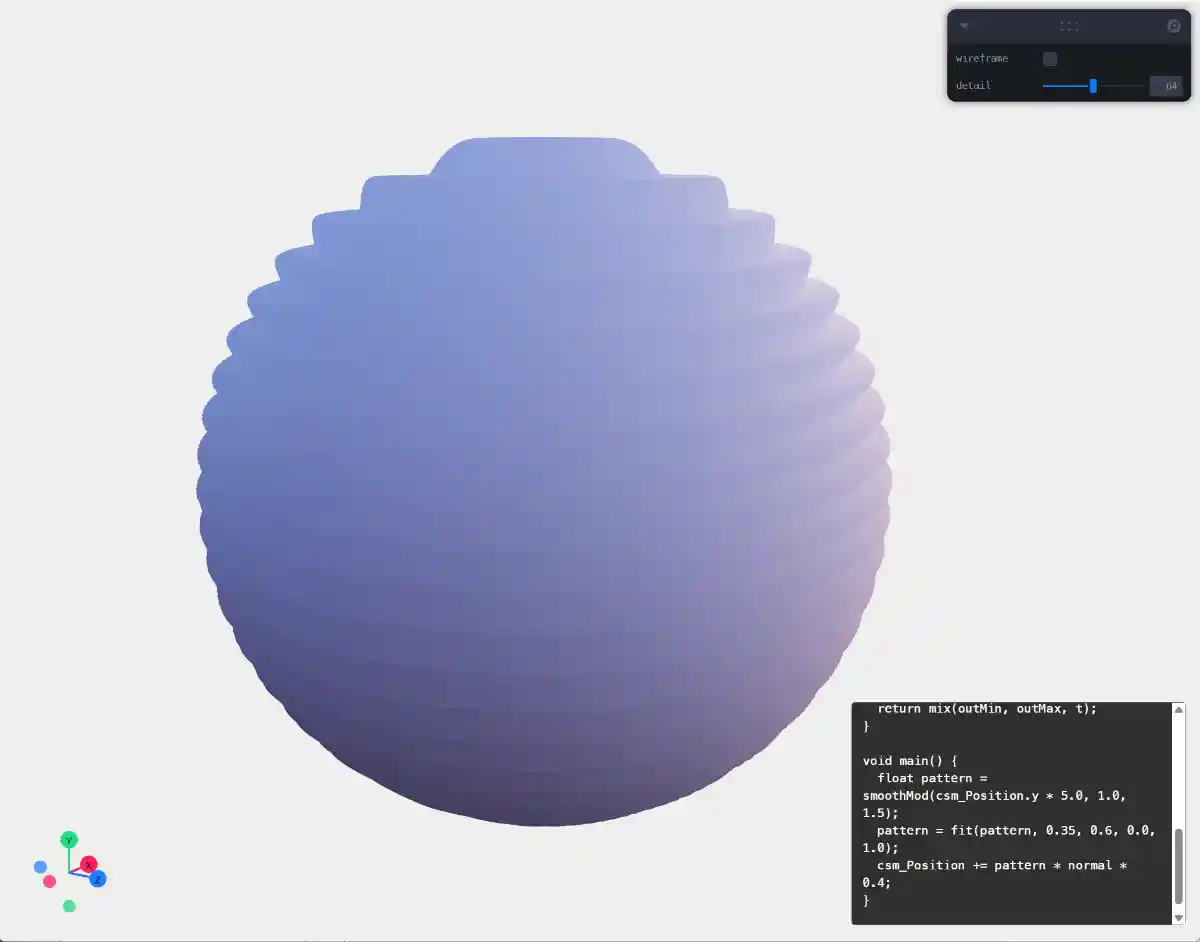
色彩
真实的物理 shader 其实并不好看,尤其在 web 渲染中,所以主动上色会好些,根据起伏量。
// vertexShader
uniform float uTime;
#define PI 3.141592653589793

varying float vDisplacement; // 新增变量,传递到 fragmentShader

float smoothMod(float axis, float amp, float rad) { ... }

float fit(float value, float inMin, float inMax, float outMin, float outMax) { ... }

void main() {
  float pattern = smoothMod(csm_Position.y * 6.0, 1.0, 1.5);
  pattern = fit(pattern, 0.35, 0.6, 0.0, 1.0);

  vDisplacement = pattern; // 赋值

  csm_Position += pattern * normal * 0.4;
}
fragmentShader
// fragmentShader
varying float vDisplacement;

void main() {
  float intensity = clamp(vDisplacement, 0.0, 1.0);

  vec3 color = vec3(0.5, 0.5, 0.8); // 紫色
  color *= intensity;

  csm_DiffuseColor.rgb = color;
}
这样就可以简单的加号起伏的色彩变化
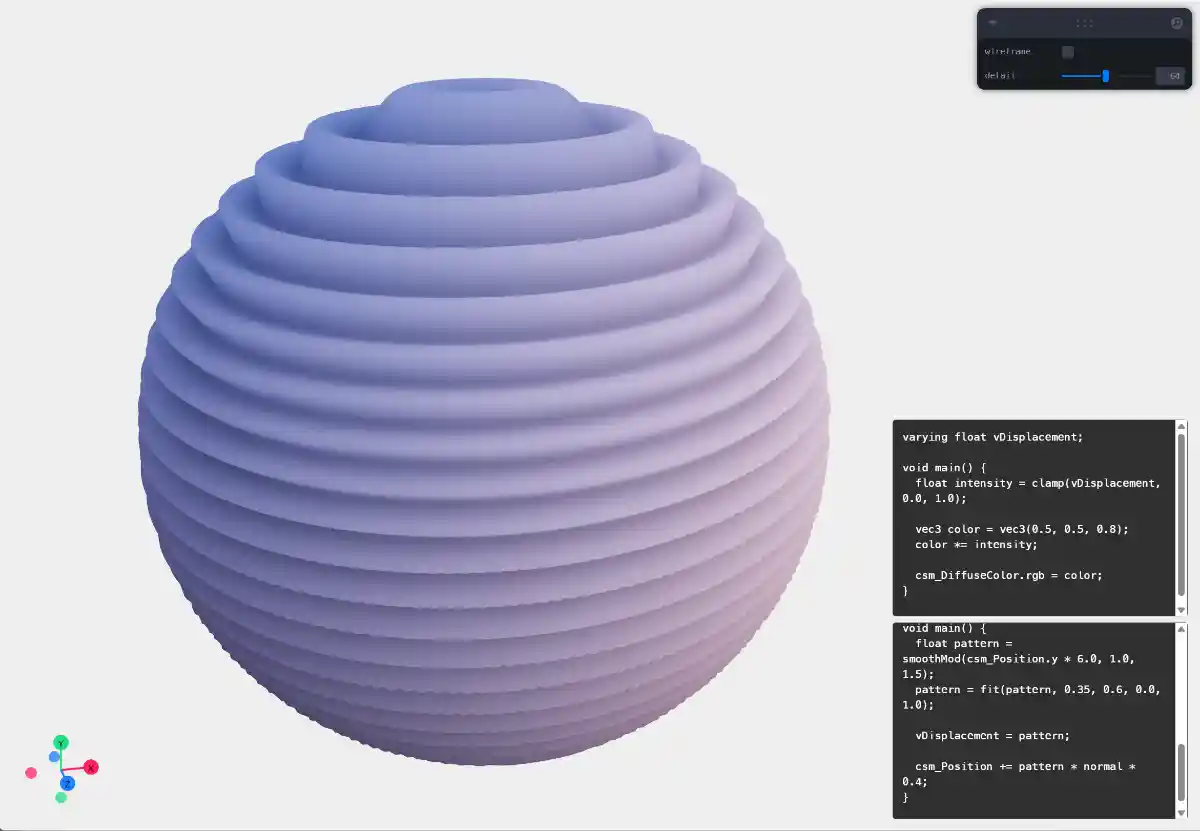
后续
动态上加上 uTime 变量,与 y 值相加,就可以做出波动动态效果
float pattern = smoothMod(csm_Position.y * 6.0 + uTime, 1.0, 1.5);
完整示例